A personal layer above your teams: see what changed, do what's needed.
What's new and My Work sit on top of TeamHub and read across every team you belong to. One stream for everything that happened. One overview for every task waiting on you. Both are places you act not just places you read.
Multiple teams. Several tabs each. Every morning.
Being useful in more than one team means checking all of them, messages, open decisions, board cards, file approvals, the meeting somebody added you to yesterday. The cost isn't any single check, it's the round trip: every team, every tab, every day, to find the three things that actually needed you. Miss one and it comes back as a chase-up a week later.
A layer on top of TeamHub, not just another place to look.
What's new gathers every teams communication into one stream. My Work gathers every task from those teams that are waiting on from you into one overview, ordered the way you want. Both read across all your teams at once, and in both you can reply, approve, complete or vote without leaving the page.
Five layers, to make your work efficient.
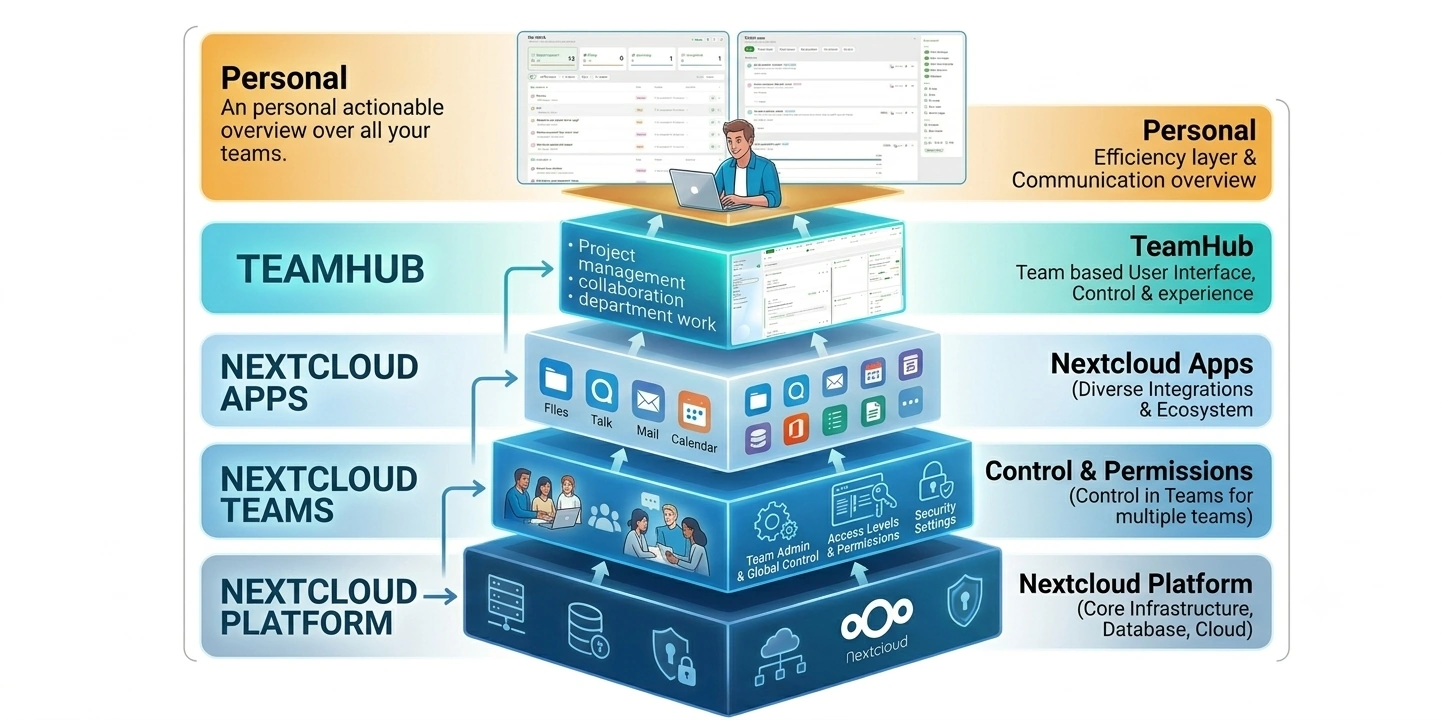
Every layer only adds to the one beneath it. Nothing is copied and nothing becomes a new silo. The personal layer reads the teams you're already in, and each action you take there writes straight back down to the connected apps or teams. The source app stays the source of truth.
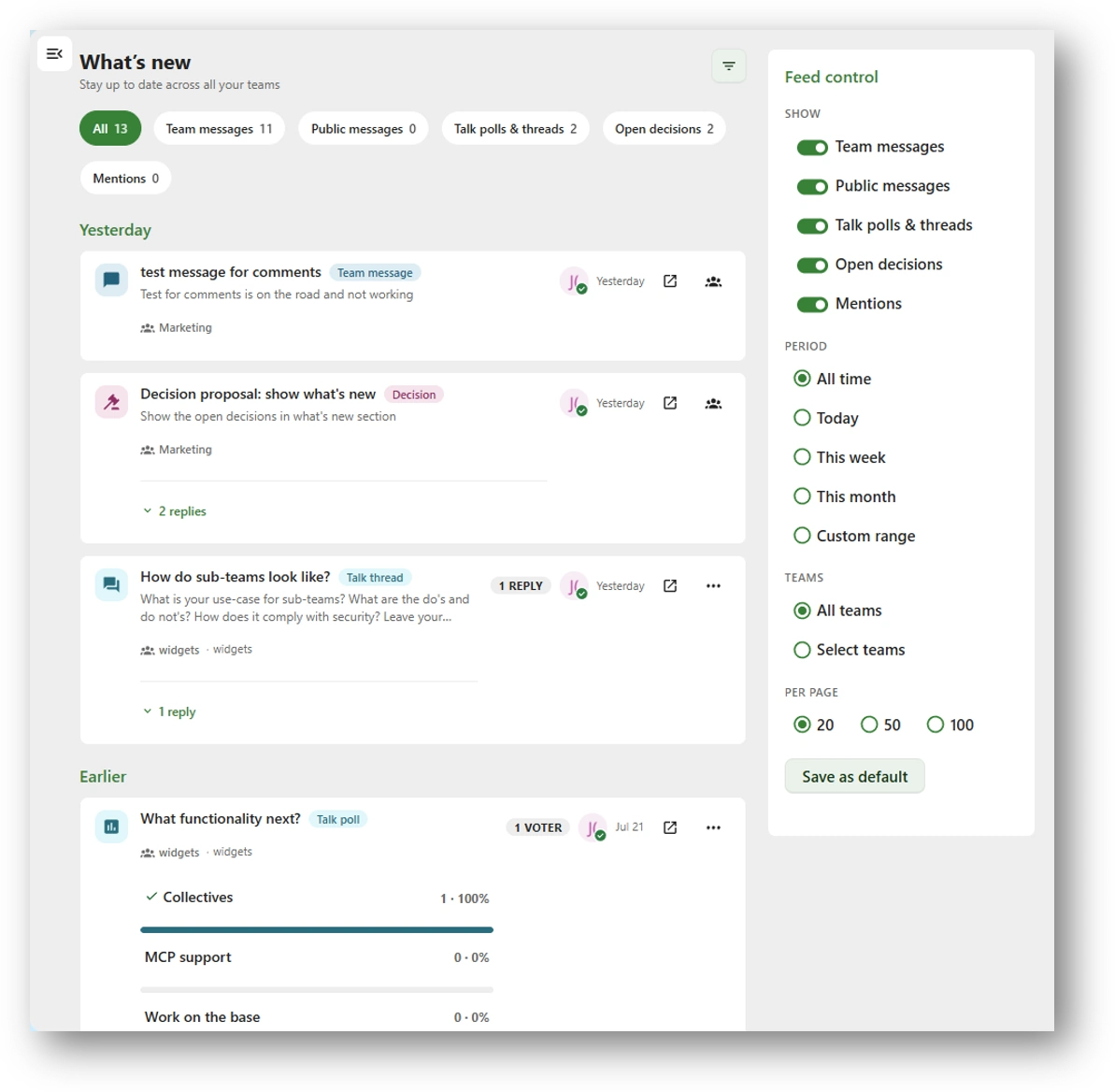
Everything that happened, in one stream grouped by day.
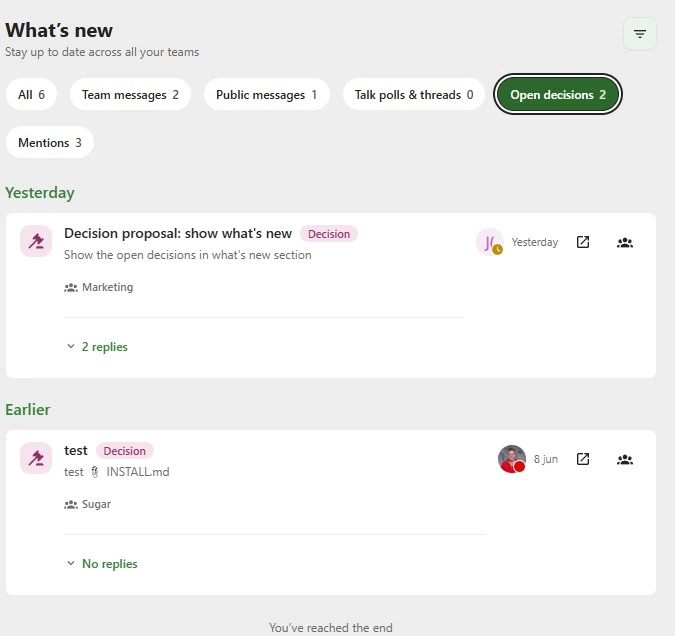
- Six source tabs with live counts: All, Team messages, Public messages, Talk polls & threads, Open decisions, Mentions.
- Sectioned into Today, Yesterday and Earlier, worked out against your clock not the server's timezone.
- Feed control: Period (today / this week / this month / a custom range), team picker, items per page.
- Save as default Your filter set comes back on every login, on every device.
Everything waiting on you, ordered the way you want.
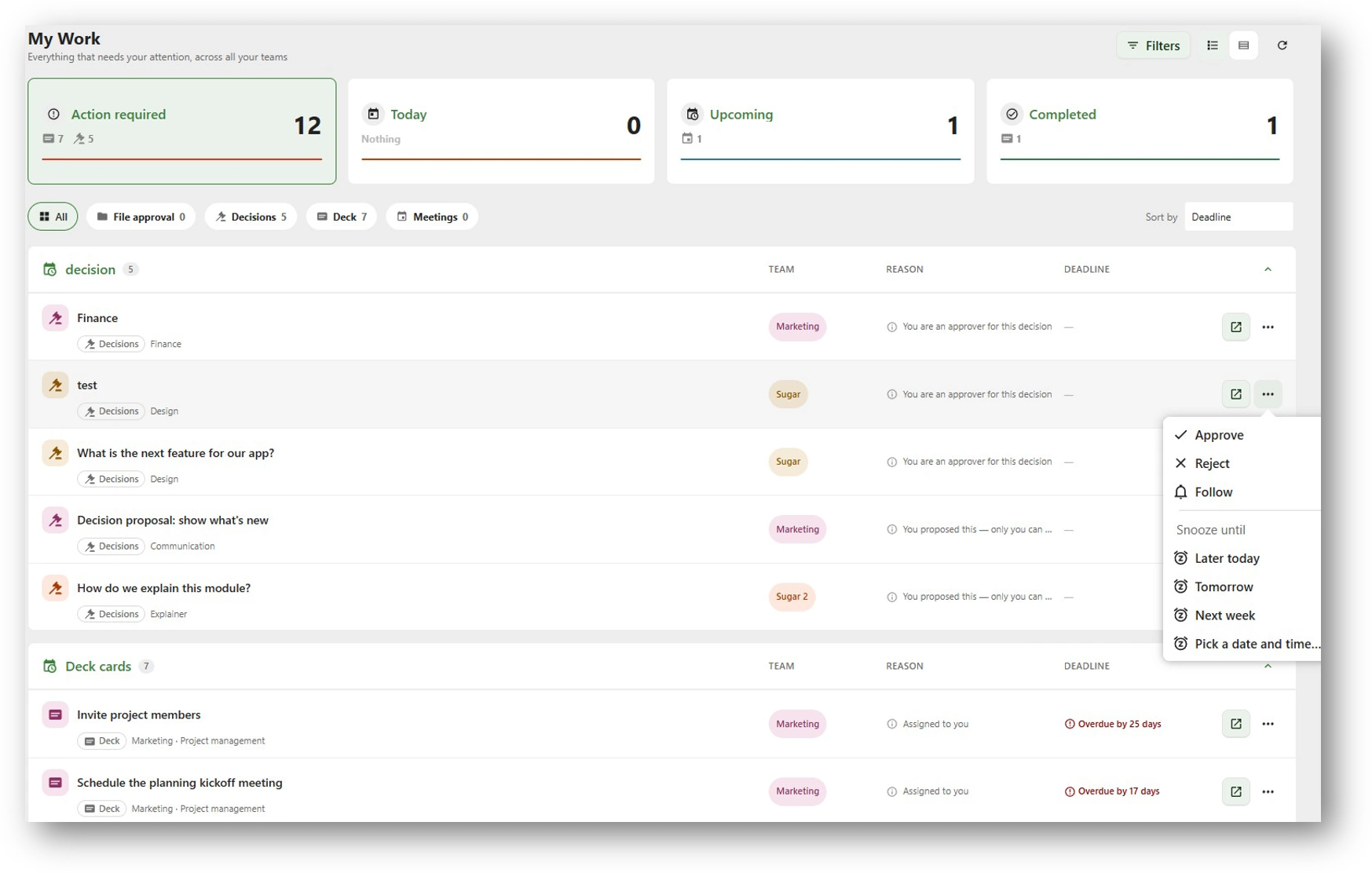
- Action required: Today, Upcoming, Completed Summary cards that double as filters. Waiting for others gets a panel of its own, because there the useful fact is who you're waiting on.
- Each card breaks down by source: Action required 12 reads as seven Deck cards and five decisions before you open it.
- Every row says why it's on your list: Assigned to you, You are an approver for this decision, You proposed this, etc. beside its team badge and its deadline.
- Action required is the only number on the sidebar counter, because it's the one that's genuinely meant to reach zero.
- Filter by team, source, priority, due date, type and status; group by category, date, team or resource type. An item in more than one of your teams appears once, flagged not once per team.
Read it, then do something about it in the same view.
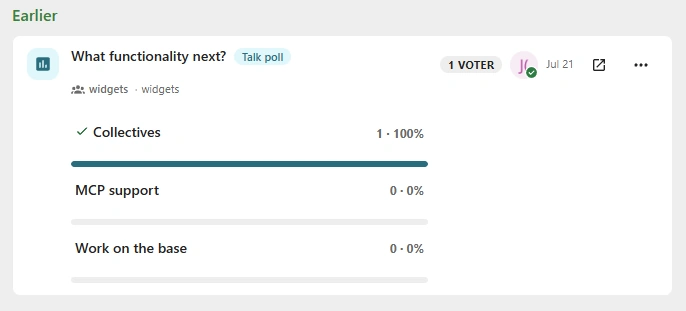
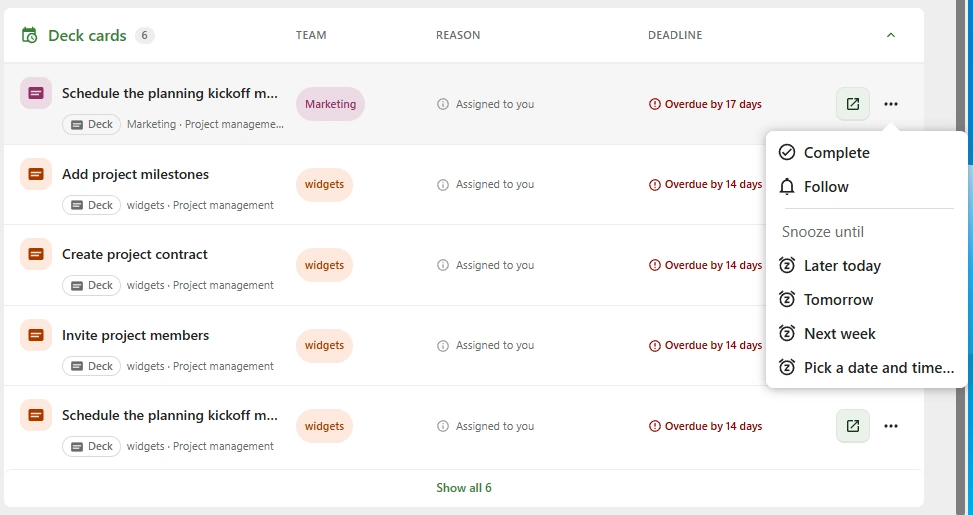
- In What's new: vote in a Talk poll inline with live result bars, open a decision, jump into the chat thread, or open the team it came from.
- In My Work: Open has a button of its own on every row; Approve, Reject, Complete, Request changes, Delegate, Comment and Follow sit in the row menu, most consequential verb first.
- Snooze to later today, tomorrow, next week or a moment you pick, resolved in your timezone, so 'tomorrow at 9' means yours.
- Open doesn't just open the team it lands on the exact card, file or decision, already selected in the tab it belongs to.
Add the layer to your own Nextcloud.
Download TeamHub from the Nextcloud app store and request a trial license from the TeamHub admin settings license tab. What’s new and My Work appear in the sidebar the moment the licence is active.
License your instance