Release notes for version 4.3.0
Here's what's shipping in this release and what we're planning — the new capabilities, the things we've refined, and the bugs we've squashed. Thanks for being on the ride.
What's new
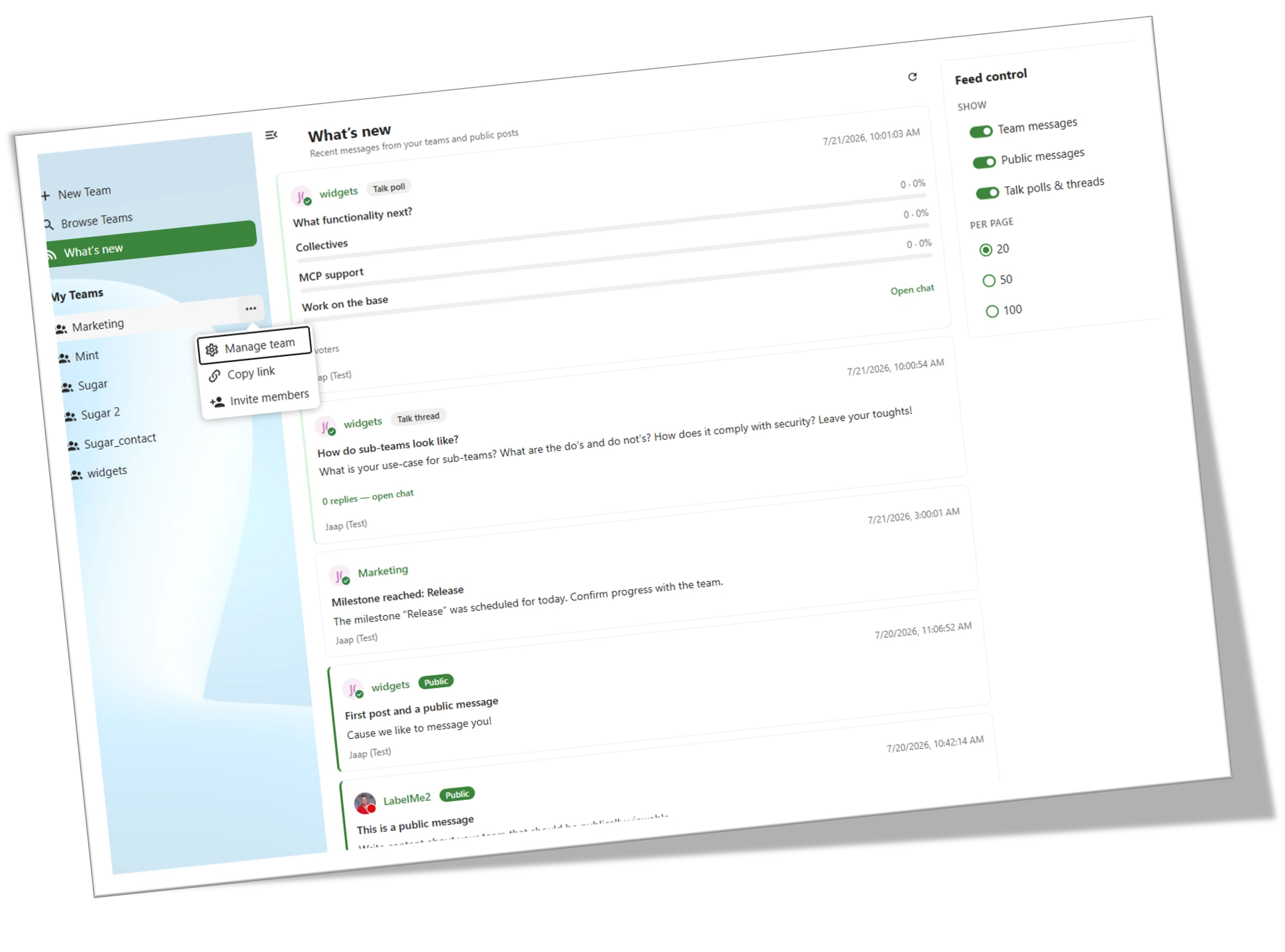
Added What's new under Browse teams in the left sidebar — a quick overview of what's happening in the teams you're a part of. Not another activity feed; focused on communication.
The first version shows a chronological stream of Team and public-team messages, Talk polls and threads, and can be controlled from the Feed control widget.
Public messages
You work hard with your team and periodically want to share your progress with the rest of the company. Traditionally you have to go through several steps to land it on a company intranet — now you can publish it straight from the Create message wizard with a single checkbox.
Public messages appear instantly in the What's new feed for every TeamHub user who has public messages toggled on. Developers can also surface them in Nextcloud intranet apps via our API.
Team owners and admins stay in control: enable or disable public messages under Manage team → Integration settings → Messages, or raise the required role to post.
Dashboard controls under Manage team → Settings
We want the team owner and admins to be in full control of the team to suit it to their needs. The defaults stay, but you can now apply your own per team
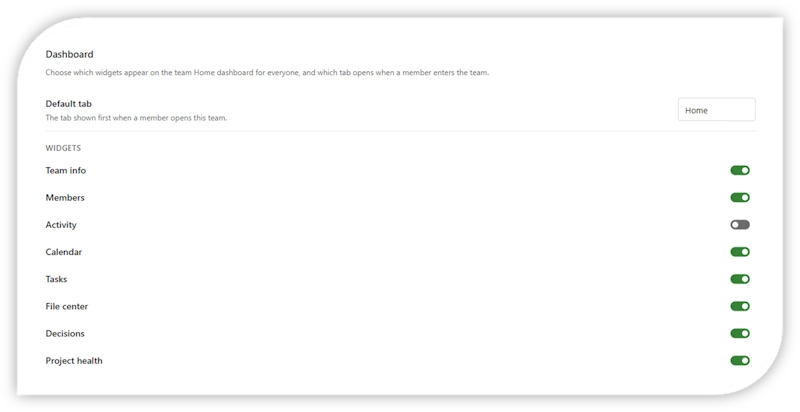
Admins and owners now get two new per-team dashboard controls:
- Github request #58 — choose which tab loads when a team is opened.
- Github request #64 — choose which widgets appear on the dashboard.
Team info actions moved to a 3-dot menu
The actions that lived on the Team info widget have moved to a 3-dot menu next to the team name. Because that widget can now be hidden, this keeps Manage team reachable at all times.
Audit tab renamed to Compliance, with new checks
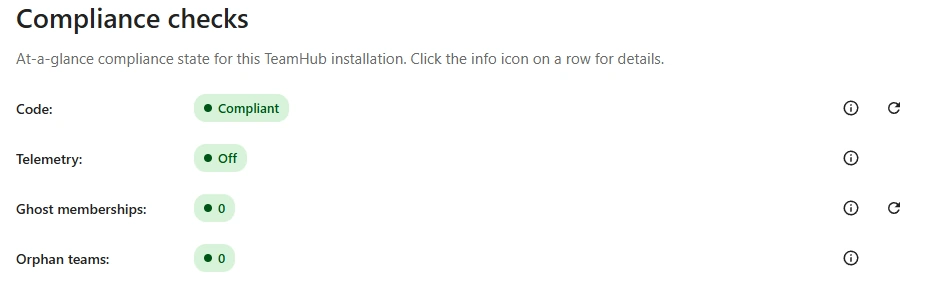
The Audit tab in admin settings is now Compliance, and it comes with four new checks:
- Ghost membership — surfaces members that no longer resolve.
- Orphaned teams — flags teams with no active owner.
- Telemetry — shows if telemetry is on or off.
- Code — verifies the installed files against a
SHA-256manifest generated at build time, so you can see at a glance whether anything has been altered since release.
The Compliance tab requires a (trial) licence to use.
Statistics tab renamed to Reporting
The Statistics tab is now Reporting. The Find teams for a user tool moved here from Compliance. Telemetry has been removed from Reporting (it now lives in Compliance).
No fixes in this release.
Nothing on the radar to share yet.